Wichtig / Important !
Da mit Google Chrome nur über Umwege Downloads möglich sind, wird empfohlen Firefox oder Opera zu nutzen. Es ist aber auch möglich Dateien unter Google Crome oder Edge herunterzuladen. Einfach rechter Click mit der Maustaste auf das Symbol bzw. Link „Download“ und dann „Ziel speichern unter“ wählen. Eventuell muss man noch die Downloads von der Seite erlauben.
English (google): Since downloads are only possible indirectly with Google Chrome, we recommend using Firefox or Opera. However, it is also possible to download files from Google Crome or Edge. Simply right click with the mouse button on the symbol or link "Download" and then select "Save target as". You may have to allow downloads from the site.
Informationen

We use cookies
Deutsch- Cookies erleichtern die Bereitstellung unserer Dienste. Mit der Nutzung unserer Dienste erklären Sie sich damit einverstanden, dass wir Cookies verwenden.
 Hidden Stroke 2 HD Fusion Mod V 4.21b (Standalone Mod)
 Current non-beta branch (therefore mainly SP) version of Hidden Stroke 2 Fusion Mod (V 4.21b - October 2026).
Französischer Mod / French Mod
The mod that started as an "update" for Hidden Stroke 2 (version 2.0.2b). If you come from vanilla or other HS2 mods expect quite a lot of gameplay changes and some new graphic schemes.
What's new in this release (October the 9th - 09/10/2026):
Great things are being put into motion behind the curtains, and for the moment this standard version is all about preparing the game to these major changes so it's a minor update. We are preparing to transform the classic Sudden Strike experience and take it at least one step further as it should've been, had Fireglow stayed on the same course (no resources, more tactical features and we're adding a focus on realism).
- The game now uses the MultiCAD v1.2.1 fork from the AF-team which fixes the characters typed in the chat - which will be important in multiplayer - and also restores the "Print screen" key that generates the .tga screenshots inside the APRM directory. Of course the zoom feature is still available in this version of the MultiCAD.
- Talking about that, we detected that massive lags were generated on most computers, when deactivating the CNC-Ddraw and using the zoom feature. As a result CNC-Ddraw is now mandatory and cannot be deactivated in the launcher.
- Instead a new OpenGL "exclusive fullscreen" setting has been added for people wanting to experiment (especially with the Nvidia panel) to try and make the game as smooth as possible. If you're tweaking these settings and experimenting we're particularly interested in your feedbacks.
-
It is now impossible to choose any other resolution than "High Definition" in the menu (that means the game will play at your desktop resolution+the regular scroll wheel zoom). You can still experiment with custom resolutions by adding a "resolution=" line in the [game] part of your sudtest.ini. Something more "user-friendly" will soon be available to choose custom intermediary resolutions.
If you're making changes inside the sudtest.ini please do NOT restore the old legacy "n2cad***" dlls to the "SSDraw" lines (instead add a "resolution=1024x768" line for example). If you do so anyway, know that we cannot offer support for these legacy modes anymore given the major upcoming changes looming on the horizon.
- Finally this version brings back the original soundtrack we've all loved from the originals. You can control the music volume from within the game with the Alt+(O), Alt+(P) shortcuts, or from the Windows volume mixer ("Musique HS2" slider). Please do note that there is a separate volume within the menus and within the game itself (that's a feature and not a bug) so the slider will "move" accordingly and should remember your settings for these two separate situations.
The tracks are played with random silences of roughly 10 minutes between them to avoid being bored of the music within minutes and deactivating it almost immediately. This is our modern answer to this old RTS "conundrum" of keeping the music on during games. Short ambiances from time to time. This way, you can also listen to the local ambiances sometimes put on a map (British anthem, the German Lily Marlen song, etc) without having to deal with other musics (most of the time). But if you prefer the old experience of having no silence between music tracks, we could add a user-friendly setting soon. Let us know.
- Like in the HD version(s) of Age of Kings, you should be able to customize the music by adding your own MP3, OGG, WAV... files to the "music" directory (up to a very precise maximum of 254 files in total). Please do post in the comments the bangers you enjoy listening to while destroying your enemy!
-
Do know that Alt + (*) activates/deactivates the random / shuffle mode for the music.
- That's all for now. More very soon, hopefully. Lots of testing to do. If you're curious about the new gameplay features, there's already an open beta of the upcoming version (4.4 or 4.4.X depending on the time you're reading this) available on our Discord.
What was new in the previous releases (September 2026):
- So, it seems the "HD" resolution is too much? Your magnifying glass is broken and you got itchy eyes? OK. We hear you. Let's zoom into the battlefield. Yes. We are introducing the ability to zoom with the mouse wheel, with 4 distinct steps. The game will zoom on your cursor by default. A click on the wheel ("3rd button") immediately restores the regular view for the selected resolution. By default an indicator stays on-screen to remind you that you are zoomed-in (can be deactivated in the sudtest.ini).
- Still lost? Why not add some Sudden Strike 4 and 5's UI features? Let's say, an interactive group panel. We backported it, SS5-style. Because why not? It will show a row of ten indicator cells for your control groups in the screen's top-right corner. Groups that currently hold units light up; empty groups stay dim. Small icons tell you what's in the group: a house (top-right) for units inside a building, a wheel (bottom-left) for vehicle drivers, a green square (top-left) for transported units, and a gun (bottom-right) for artillery/mortar/gun crews. You also get the number of units in the group, just below it. The cells are clickable: left-click selects the group (same as pressing its number-row key, or almost), right-click assigns the current selection to the group (same as Ctrl + number). The group panel can be scaled (accepted values 1-3 with steps of 0.25) if you think it's too small or even deactivated (all of that is in the sudtest.ini file) - so you can get rid of that feature if you reaaaally don't like it (let us know why... like, for real, why?).
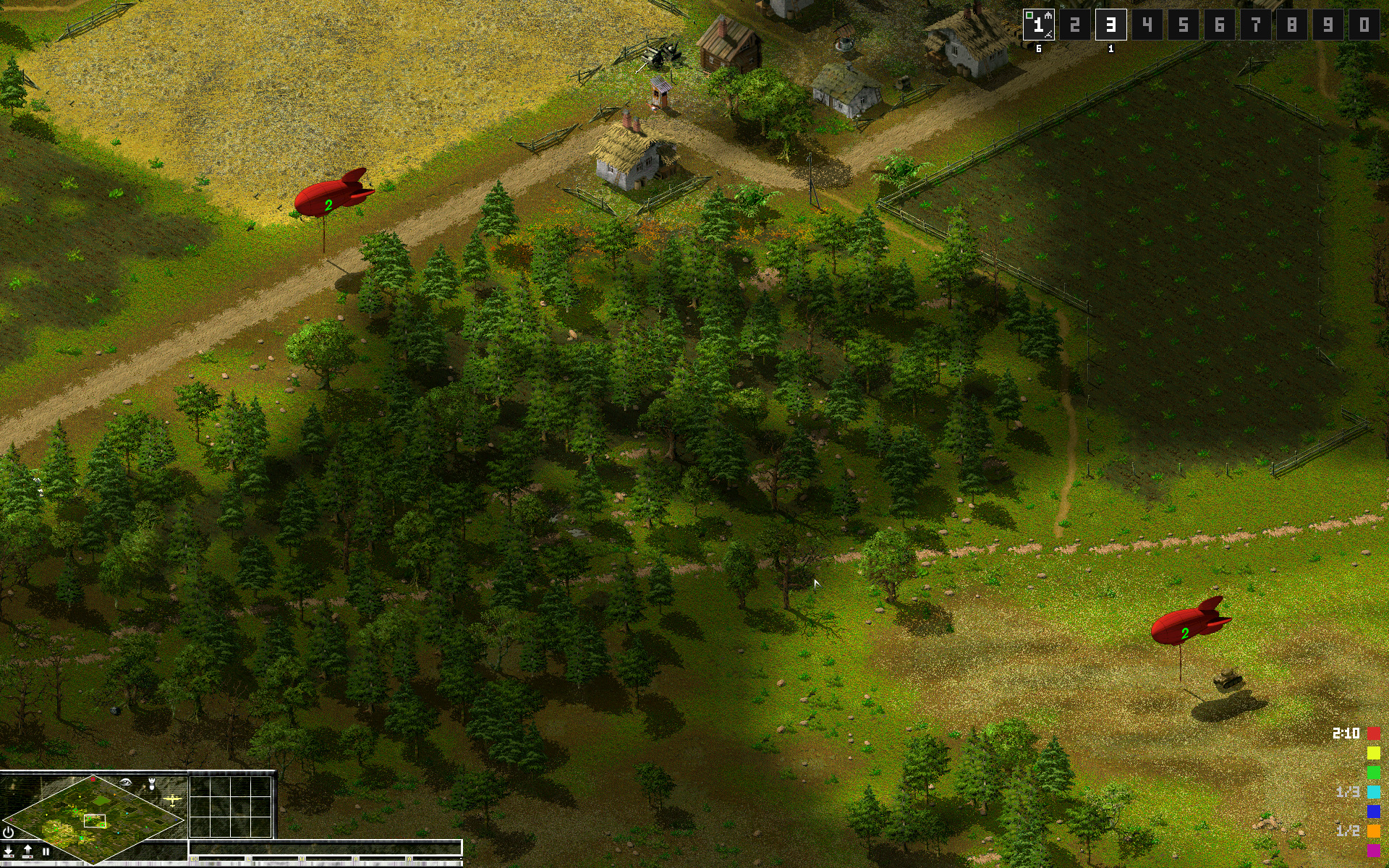
- Oh, you're still here? Okay let's add something else to the mix. For our next trick, this third feature is a multiplayer feature: a zeppelin capture status panel. Yes. YES I assure you this is possible! Now please keep calm. And press "alt-Z" during a multiplayer game to check the remaining time for capturing a zeppelin (in the bottom-right corner), or the remaining zeppelins needed to begin capturing them. Once captured, the color drops from your objective list ("Mission complete!").
- Please let us know any issue here in the comments or on our Discord!
- That's all folks! For now... other things are looming on the horizon. I can guarantee this is just an "amuse-bouche"!
Don't worry, I don't think we'll keep adding "panels". This game needs to breath and has to keep running smoothly. But other things can (and will be) done... stay tuned!
What was new in the previous releases (August 2026):
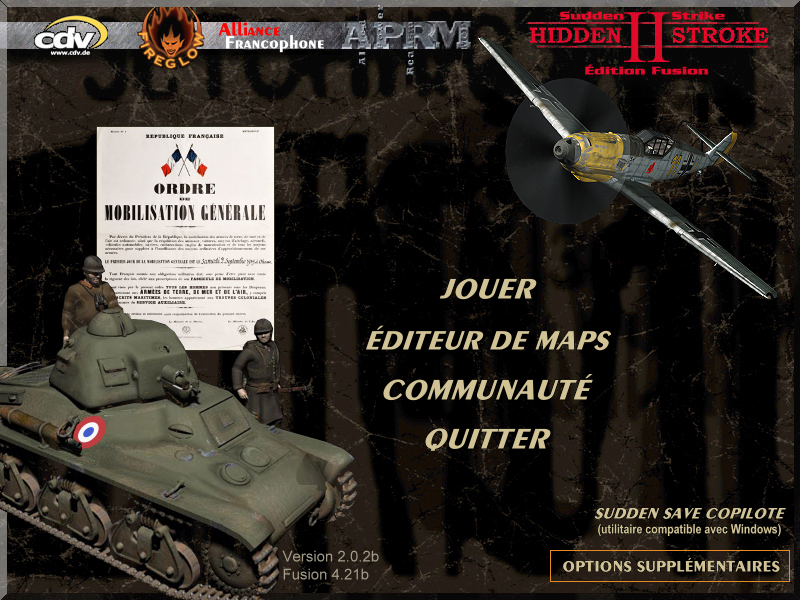
- Brand new launcher... with a familiar look. It's the original, back from the dead (
HS2Launcher.exe) — one clean menu to start the game, the map editor, and Sudden Save Copilote - Built-in CNC-Ddraw integration, adjustable straight from the launcher: fullscreen non-exclusive / borderless windowed / classic mode ("deactivate CNC-Ddraw", which restores the old display with its usual quirks and "CPU behaviour" - see "Single-core CPU affinity" below for more details on this "traditional" CPU behaviour, nothing new here!)
- ...which means cursor lock in-game (great for multi-monitor setups) and smoother alt-tabbing
- Single-core CPU affinity option to prevent the "well-known" endless multiplayer freeze issue on large games (some computers have this issue with big maps, especially in MP)
- Optional DSOAL audio fix for players experiencing stuttering with the audio because of the various mixes used in the game (stuttering with the sound effects activated)
- "HD resolution" support via MultiCAD from Vladislav (many thanks to him) — play in your native screen resolution instead of 1024x768
- Input lag removed — Yes, quite the "easy-lazy fix", we know. But still. The delay between giving an order to a unit and seeing it executed in multiplayer has been fixed, "à la SSF Gold HD". We made the choice to bring this delay down to 200 ms, making it nearly imperceptible — it'll almost feel like you're playing SP against the computer. Almost.
- "Sudden Save Copilote" properly integrated, with correct admin rights handling, from the launcher
Feedbacks/discussion are welcome here on the great Sudden Strike Maps and also on our community Discord, where you can also play with the French community, especially in the evenings around 9 PM CE(S)T (not all the time obviously, as "real life happens").