
We are now providing you with a TeamSpeak 6 server!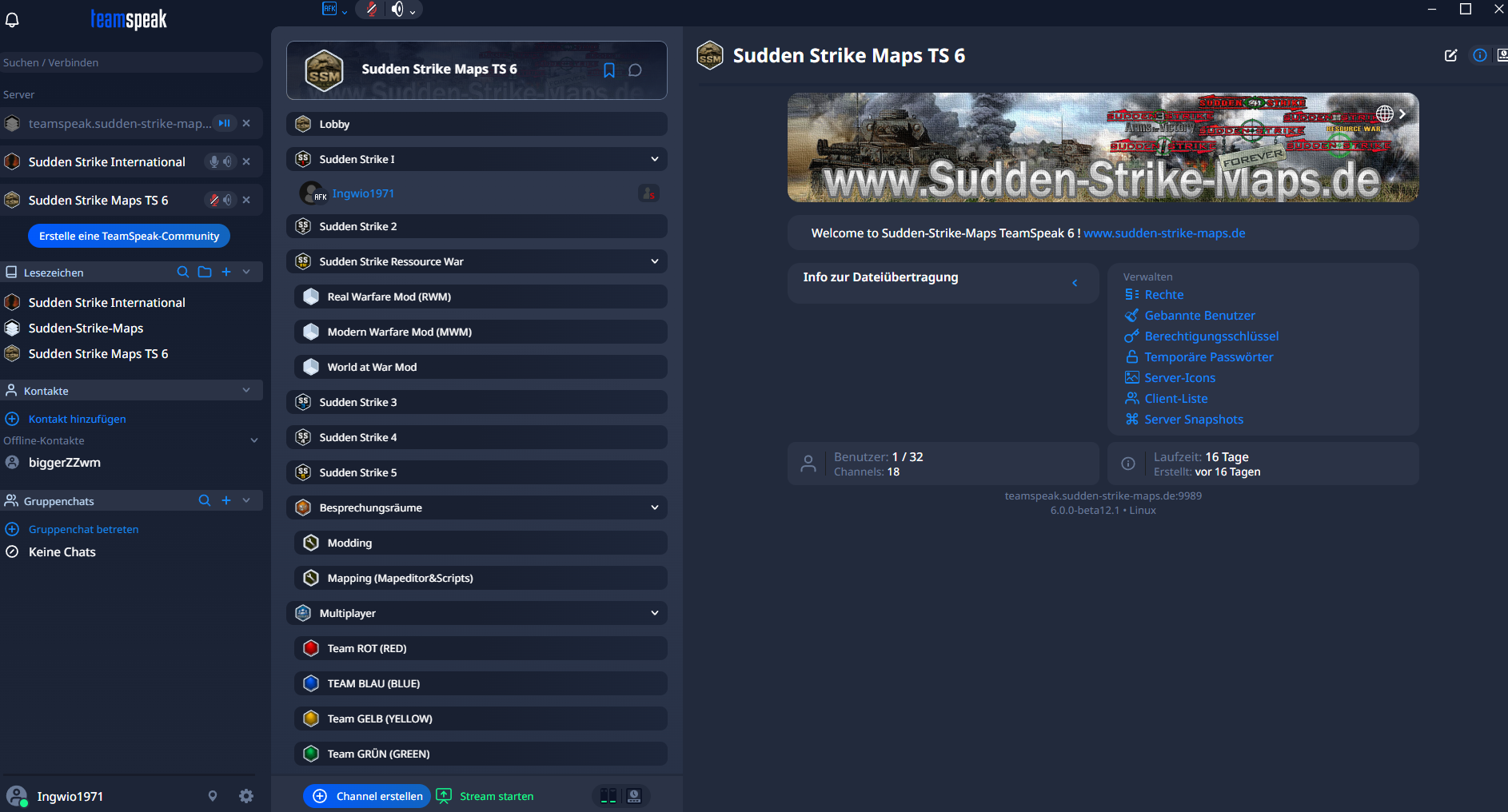
Important note about the beta version!
TeamSpeak 6 is currently still in the beta phase.
The development is therefore not yet fully complete, and some features or aspects of the user interface may occasionally change.
Based on our experience, however, TeamSpeak 6 is already very stable and is perfectly suitable for daily use and playing games together.
We would therefore like to give you the opportunity to try out the new TeamSpeak 6 client and our server right now.
1. Install the TeamSpeak 6 Client
To join our server, you need the TeamSpeak 6 Client. https://www.teamspeak.com/en/
Install the TeamSpeak 6 Client on your computer and then start the program.
Important: The TeamSpeak 6 Client is required for our server.
2. Start TeamSpeak 6
Start the TeamSpeak 6 Client.
When you start it for the first time, you can choose your preferred nickname. This is the name under which you will appear on our TeamSpeak server.
3. Connect to our Server
In the TeamSpeak 6 Client, open the function for connecting to a server.
Enter the following address as the server address:
teamspeak.sudden-strike-maps.de:9989
The :9989 part specifies the port through which our TeamSpeak 6 server can be reached.
Then confirm the connection.
4. Welcome to the Sudden-Strike-Maps Server
Once the connection has been successfully established, you will be connected directly to our TeamSpeak 6 server.
The server is operated on the infrastructure of Sudden-Strike-Maps.de.
After joining, you will be able to see the various channels and rooms and select the channel that suits you.
Depending on your user permissions, different areas and features may be available to you.
5. Save the Server as a Favorite
So that you do not have to enter the complete server address again next time, you can save our server in TeamSpeak 6 as a favorite or saved server.
Use: teamspeak.sudden-strike-maps.de:9989
This allows you to quickly and easily connect to our TeamSpeak server later.
Connection not working?
If the connection does not work, please check the following points first:
- Is the TeamSpeak 6 Client installed?
- Is the server address entered correctly?
- Has port 9989 been included?
- Is there an active Internet connection?
- Could a firewall or security software be blocking the connection?
Since TeamSpeak 6 is currently still in the beta phase, minor bugs or technical problems may occasionally occur.
TeamSpeak 6 Summary
Operator: Sudden-Strike-Maps.de
Software: TeamSpeak 6
Status: Beta – already very stable
Server Address: teamspeak.sudden-strike-maps.de:9989
Opus Codec: Full Quality
We look forward to welcoming you to our new TeamSpeak 6 Server from Sudden-Strike-Maps.de.
Have fun playing, talking, and gaming together!